

Clinical Documentation. Revenue Cycle. Scheduling. One System.
Sevocity Premier integrates your entire practice, from the first note to the final payment, in one workflow, with one support team, and zero re-entry between systems.
"I want to finish my notes before I leave. I want my biller to stop asking me to fix charges. I want MIPS to not be a crisis every December."
— The problem every independent practice owner describes. This is what Sevocity Premier is built to fix.
One platform.
Every workflow your practice runs.
Clinical documentation, revenue cycle, scheduling, and compliance — built to work together, not bolted together.
Document faster.
Leave on time.
AI ambient documentation listens to your patient encounter and drafts the note while you focus on the patient. You review and sign, not build from scratch.
- AI Ambient Documentation via Suki: 41% average charting time reduction
- Provider-level specialty templates configurable before go-live
- ePrescribing through DrFirst — EPCS and PDMP integration included
- Lab orders out, lab results in — directly from the clinical note
- ONC-certified documentation workflow, MIPS data captured automatically
From documented
to paid — automatically.
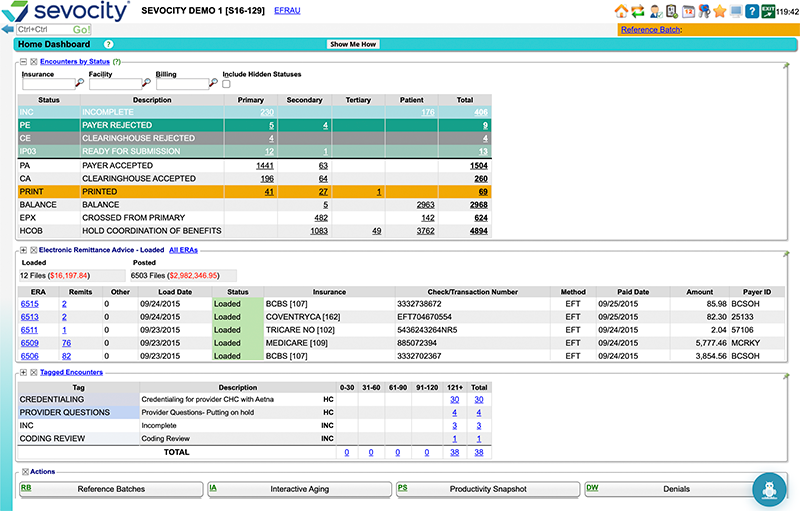
When clinical documentation and billing live in the same system, the charge is created the moment the encounter is finalized. No re-entry, fewer delays, and far fewer claims stuck waiting on missing information.
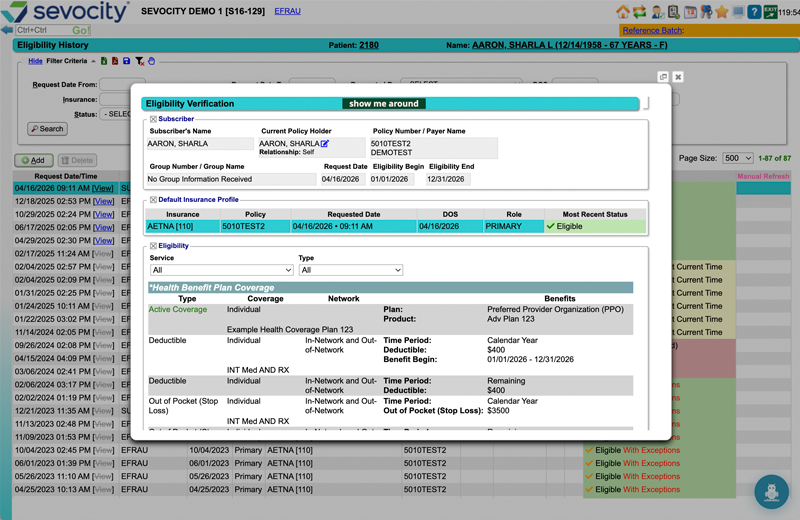
- Real-time eligibility verification before the patient arrives
- Electronic claims through Etactics clearinghouse with pre-submission scrubbing
- ERA auto-posting — payments post without manual entry
- Denial management with root-cause tracking by payer and code
- Live A/R aging visible to providers and practice managers in one login
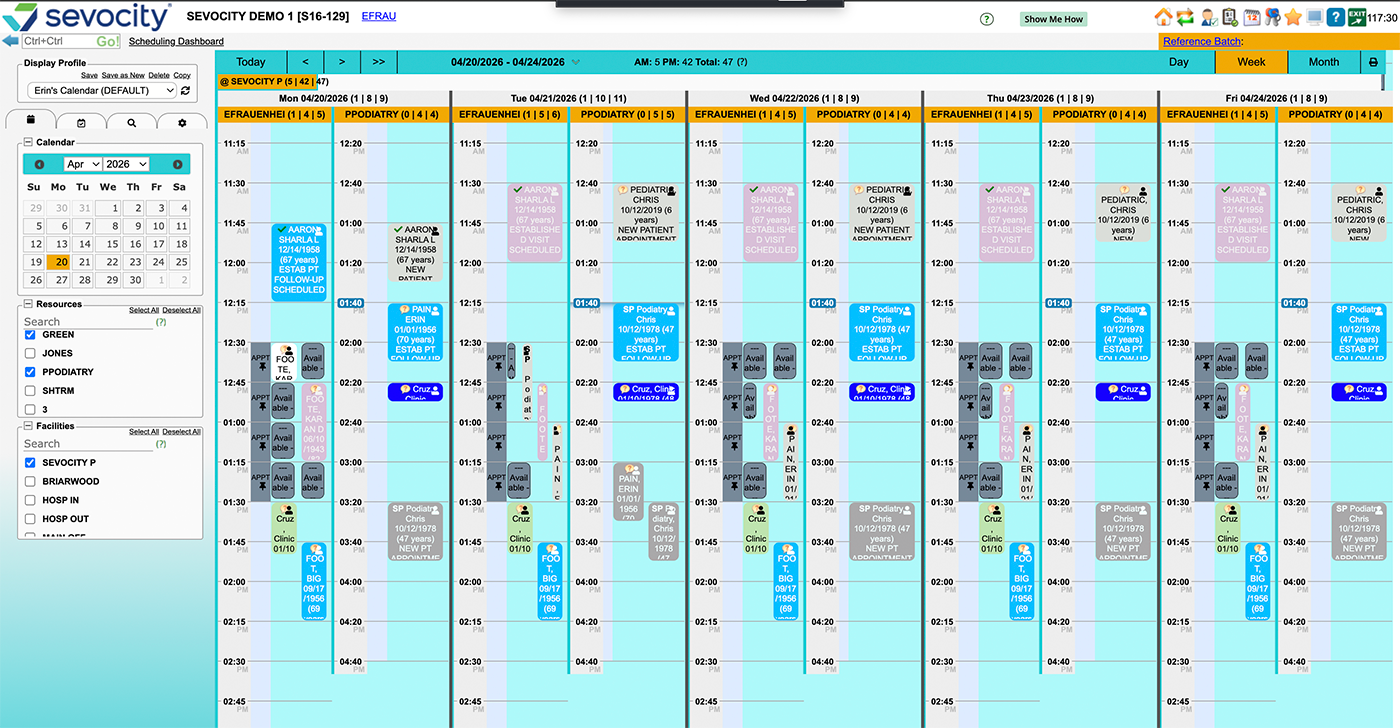
Every patient slot
optimized before they arrive.
Scheduling connects to eligibility verification so your front desk knows about insurance issues before checkout — not after. Patient recalls, reminders, and forms are integrated into the same workflow, not a separate tool.
- Appointment scheduling with real-time eligibility status
- Automated recall reminders and appointment reminders
- Patient (Direct) Self-Scheduling
- Patient registration forms completed before arrival
- Responsibility estimator — patient cost estimated at scheduling
- Time clock, CPT code lookups, and provider scheduling tools included
MIPS handled.
Reports ready when you need them.
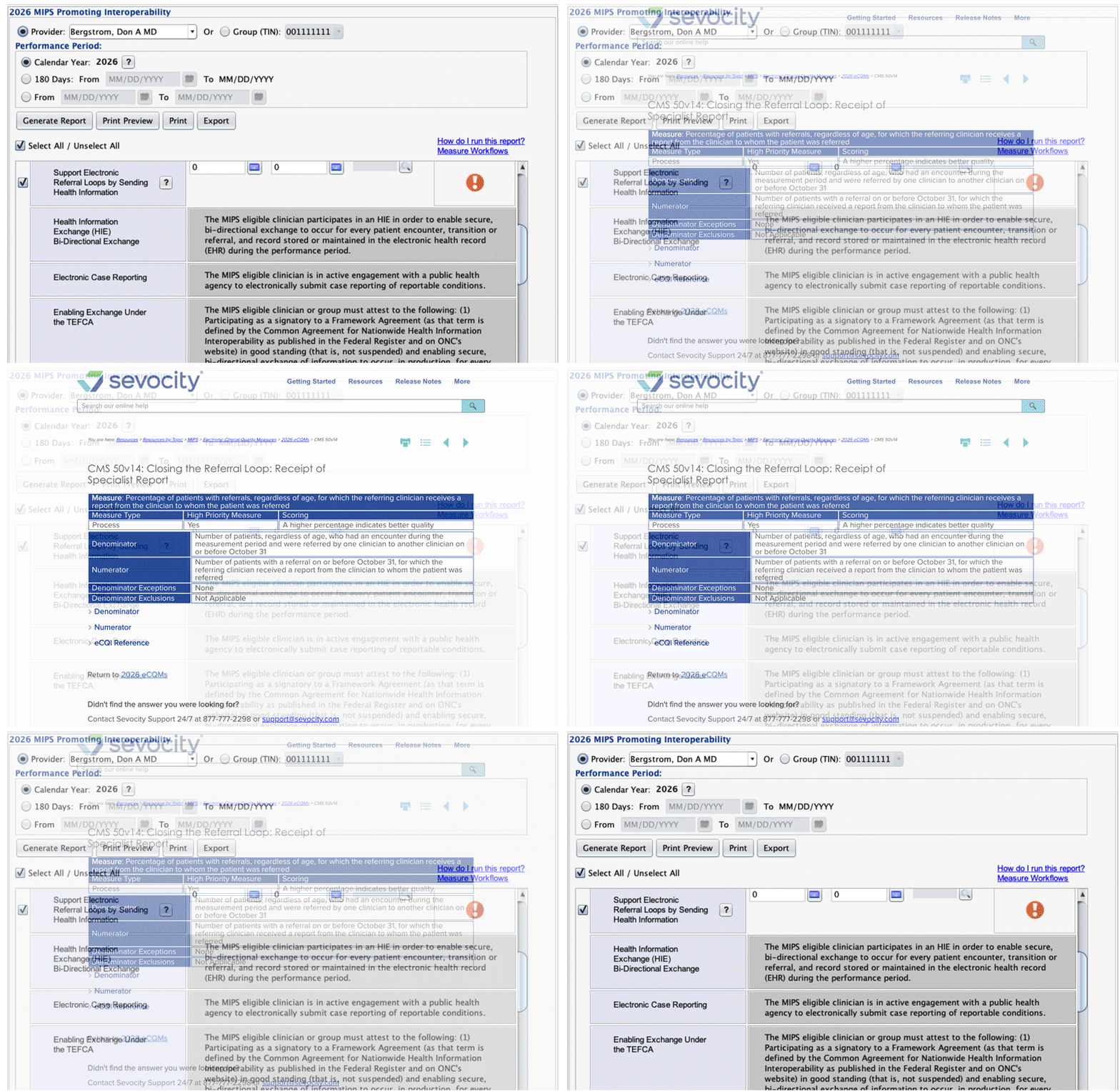
MIPS quality measures are captured automatically from every encounter, tied to the ICD-10 and CPT codes your practice already documents. No separate compliance workflow. No year-end scramble. Your performance dashboard shows your score in real time.
- ONC 2015 Edition certified — MIPS eligible out of the box
- Quality, Promoting Interoperability, and Improvement Activities tracked automatically
- Live MIPS performance dashboard — know your score before year-end
- Revenue, A/R, and collection reports accessible without IT or billing service
- Submission-ready data formatted for CMS portal upload
One patient record.
From note to payment.
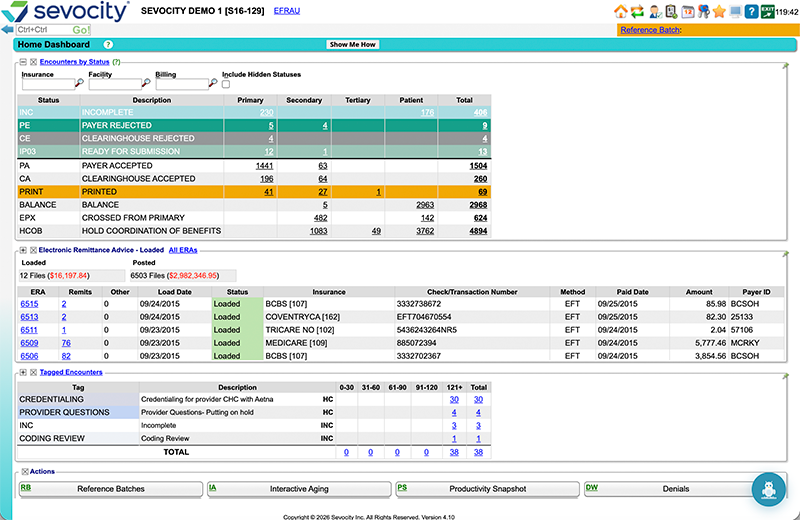
Every piece of your practice workflow is connected. When the note is signed, the charge is created. When the charge is submitted, the ERA arrives and posts without a biller touching it. Exceptions go to queue.
40+ specialties. ONC certified. US-based support. Data migration included. One system, one team, one login.
More Than 600 Verified Reviews
What practices say after making the switch
"Sevocity had been very easy to use compared to three other EHR systems I've used. I like the ability to create personalized templates and flow sheets created by the excellent customer service support team."
— Verified Reviewer · Capterra
"Sevocity is the first EHR I used in my private practice and I have no plans to change. I have been very pleased with both the system and customer service. For the price, I really would have a hard time imagining a better product on the market."
— Verified Reviewer · Capterra
"I was amazed at how with just a couple training sessions how easy it was to pick up. Sevocity made my first EHR experience a good one. Ease of use. Great customer support (which was rarely needed)."
— Verified Reviewer · Capterra
Reviews from Capterra, Software Advice, and SelectHub. Read more reviews →
Everything your practice needs.
Nothing you don't.
A very nice change from eclinicals. After just a couple of weeks my staff has transitioned with little frustration. For a small practice Sevocity by far blows them out of the water.
— Amanda S., Family Nurse Practitioner / Clinic Owner · Capterra Verified Review
Common Questions
What practices ask before choosing an integrated EHR/PM
Sevocity EHR is the clinical documentation system: specialty templates, AI ambient documentation, ePrescribing, lab interfaces, patient portal, and ONC-certified. Sevocity Premier is the complete system: everything in the EHR plus the full practice management module: eligibility verification, electronic claims, ERA auto-posting, denial management, scheduling, patient billing, and revenue reporting. Both products share one patient record. The difference is whether you want billing and scheduling built into the same system or connected to a third-party PM.
Yes. Sevocity Premier is designed to be your practice's complete revenue cycle tool. From real-time eligibility verification, before the patient arrives, to claims submission through the E-Tactics clearinghouse, to ERA auto-posting and patient billing. The choice becomes yours. Run billing in-house, and your staff manages exceptions, denial follow-up, and patient collections while Premier handles the routine posting and claim submission. Work with a billing service, and Premier makes the partnership seamless.
Yes, your biller will work in Sevocity Premier instead of a standalone PM or billing software. Sevocity's implementation includes billing staff training as part of the standard go-live process. The workflow change for most billers is positive: the charge is already created from the clinical note (no re-entry), ERA posting is automatic (no manual payment entry), and the denial queue is organized by reason code. The learning curve is real but short — most billing teams report being comfortable within two to four weeks.
Yes. Appointment scheduling, recall reminders, and automated appointment reminders are included in Sevocity Premier. Scheduling is connected to the eligibility verification system. When an appointment is booked, eligibility can be verified automatically so your front desk knows about insurance issues before the patient arrives. If you currently use a patient-facing online scheduling platform, Sevocity's implementation team assesses integration options during discovery.
Sevocity Premier submits claims through Etactics, a HIPAA-compliant clearinghouse that handles electronic claim submission, claim status checking, and ERA delivery. Claims are scrubbed before submission to catch errors before they reach the payer. ERA files are returned from Etactics and auto-posted in Sevocity, reducing manual payment posting to exception management. Etactics connects to all major commercial payers and Medicare/Medicaid.
MIPS data is captured automatically as part of your normal documentation workflow. When you complete a patient note in Sevocity, the system identifies which Quality measures are triggered by the encounter's ICD-10 and CPT codes and records the data. The Promoting Interoperability category is satisfied through Sevocity's ONC-certified platform, ePrescribing, and patient portal. Your MIPS performance dashboard shows your live composite score by category throughout the year, so you're never surprised at submission time.
For a solo or small group practice (1–5 providers), implementation typically runs four to eight weeks from contract signing to go-live. This includes data migration from your current EHR, template configuration for your specialty, billing workflow setup (clearinghouse connection, payer enrollment), staff training, and a verified go-live. Larger practices or those with more complex data environments typically run eight to twelve weeks. Sevocity provides a specific timeline after the initial discovery call.
One login, one interface. Providers access clinical documentation, ePrescribing, and the patient chart from the same login as the scheduler and biller. The practice manager sees A/R, revenue reports, and scheduling from the same login as the clinical staff. There is no separate "PM login." This is the core advantage of an integrated EHR/PM system versus connecting two products. Patient data, charges, and financial information are on one shared record.
Sevocity has migrated data from most major EHR systems used in independent practices, including Greenway, Practice Fusion, AdvancedMD, Allscripts, eClinicalWorks, Athenahealth, Kareo, and others. Data migration is managed by Sevocity's implementation team at no additional charge: demographics, medications, problem lists, allergies, and clinical history can all transfer. Your previous system remains accessible in read-only mode for a transition period after go-live. See the Data Migration page for what transfers and how the verification process works.
One system. No re-entry.
Book the demo that shows you why.
Tell us your specialty and current setup (or even share a workflow). We'll configure the demo around your practice type and show you the exact workflow your providers and billing team would use.